Also when I run temporal workflow start \ --type GreetSomeone \ --task-queue greeting-tasks \ --workflow-id my-first-workflow \ --input '"Donna"'
I get this error in the console time=2025-11-28T12:20:10.843 level=ERROR msg=“failed reaching server: context deadline exceeded”
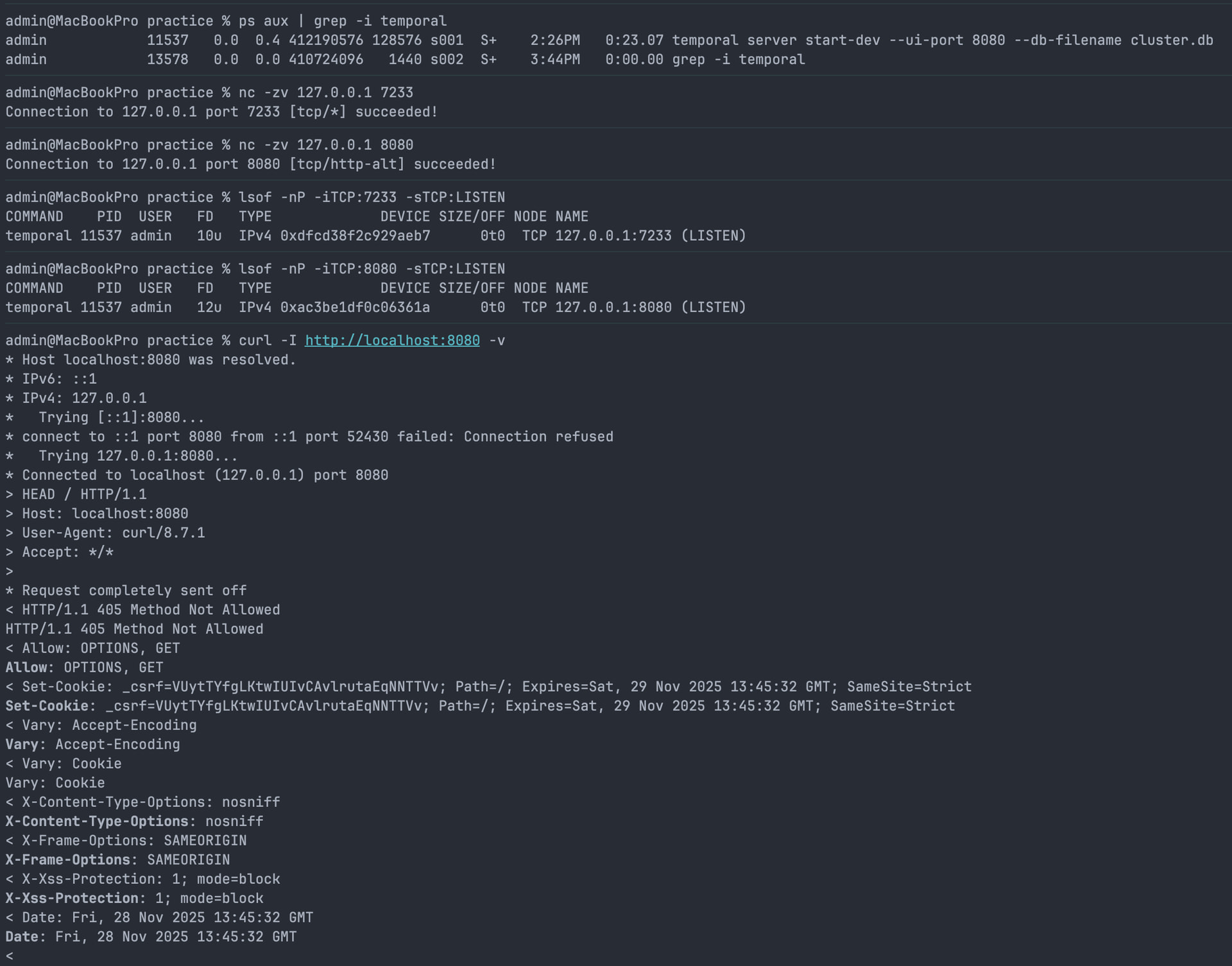
The error Unable to create client failed reaching server: context deadline exceeded tells us there’s no running or accessible Temporal server for the Worker code or CLI to communicate with. I’d dig into what exactly your Temporal server process is doing.
What was the output when you ran the temporal server start-dev command? Did you leave the Temporal dev server running while you attempted to run the Worker code in a separate terminal/window?
Is the Temporal server running at the time you try running the Worker code? It seems like you might have run the server then cancelled/closed the process.
You’ll need to run temporal server start-dev --ui-port 8080 --db-filename cluster.db in a separate window, and keep it open, to establish a service for the Temporal Worker to connect with. If the process that spawns in the window where you run temporal server start-dev --ui-port 8080 --db-filename cluster.db closes or stops, there will be no server for the Worker code to communicate with. If you’re attempting to run the Worker code in the same window you ran the dev server command in, then you’ve likely closed the Server process - hence the error.
Is this a work computer, or a personal one? Does your workplace implement firewall or network security software on its endpoints that might stop services communicating on your local device?
Or, do you happen to have another local service running on the required ports?
What do you see when you visit the url localhost:8080 in your browser?
My examples were run locally from within the edu-101-go-code/exercises/hello-workflow/practice directory.
context deadline exceeded is usually a network error. If you have a cloud address set in your environment variables (shown via the env | grep -i temporal), then you’ll need to unset that variable to connect to your local cluster.